After breaking my LCD screen by leaving my keys in my pocket with my two month old camera I have decided to build a protective cover for the LCD. The following instructions will show you how to build an LCD cover for just about any digital camera.
Supplies:
An old CD or cassette case with very few scratches.
Adhesive Velcro. I got this at a local hardware store.
Razor.
Fine sandpaper.
I started by placing the CD case on top of my camera and traced the shape of the LCD screen with a little extra space on both the left and right sides.

I than scored these lines all the way to the edges of the CD case with a razor blade. Once scored the lines can be cracked by gently bending the plastic.

To finish the plastic I beveled the edges with fine sandpaper.
Next i cut two thin strips of adhesive velcro the height of the LCD screen. I afixed the soft sides of the velcro to the camera and the course side to the plastic.


I than velcroed the new screen cover to the camera. I have been using this in lew of a case since I made it.


This side view shows the slight clearence between the protector and the LCD which allows pressure to bend the protector without affecting the LCD.
In case you are not as cheap as I am:
 Growing, Brewing beer
+in++a+pot.jpg) Growing hops in a pot
Growing hops in a pot Drying hops in a gas oven
 Growing wheat for beer or bread
 Very small scale all grain brewing
 Northern Brewer Coupon/Discount Codes
 Casting and sculpture
 DIY simple casting furnace
 Lost foam figure
 DIY belt buckles
 Rotometals coupon/discount code
 Figure Sculpture In Wax and Plaster
 Printing and Painting
 DIY t-shirt printing
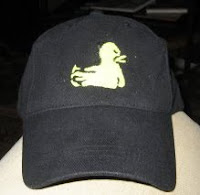 DIY screen printing a hat
 Sticker stencil t-shirt printing
 Painting bones
 Painting Animals
 wallpaper/wrapping paper
 Bottles
 How To Cut Wine Bottles with String and Acetone
 How To Cut Wine Bottles with a Dremel tool
 Glass etching without a stencil
 Re-usable Chalk Bottle Labels
 Recipes
 Spicy Ginger Ale Recipe
 What to do with too much Zucchini
 How to make a great mojito
 How to pickle peppers
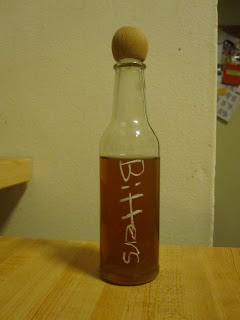 Homemade Bitters
 American flag jello
 sodastream orangina
 sodastream ginger ale
 Toys and Games
 Build a Ladder Golf Set
 Mario Kart RC Battle
 Crayon Carving
 Other/Contact
 Reusing chopsticks
 how to make a dropdown menu with images
 how to add a share to facebook button to your blog


 I than velcroed the new screen cover to the camera. I have been using this in lew of a case since I made it.
 This side view shows the slight clearence between the protector and the LCD which allows pressure to bend the protector without affecting the LCD.
 , Northern Brewer
 and Amazon
 . But please email me if you have any trouble with products or retailers linked from this page.

 Posts
Posts


